- Pagina principala /
- Electronice /
- Computers, Laptops and Tablets /
- Computer Software for Home & Office /
- Photo, Video & Music Editing Software /
- ClearClick VHS to DVD Wizard Software with US...
0 ratings


Articol nr.:
13425973
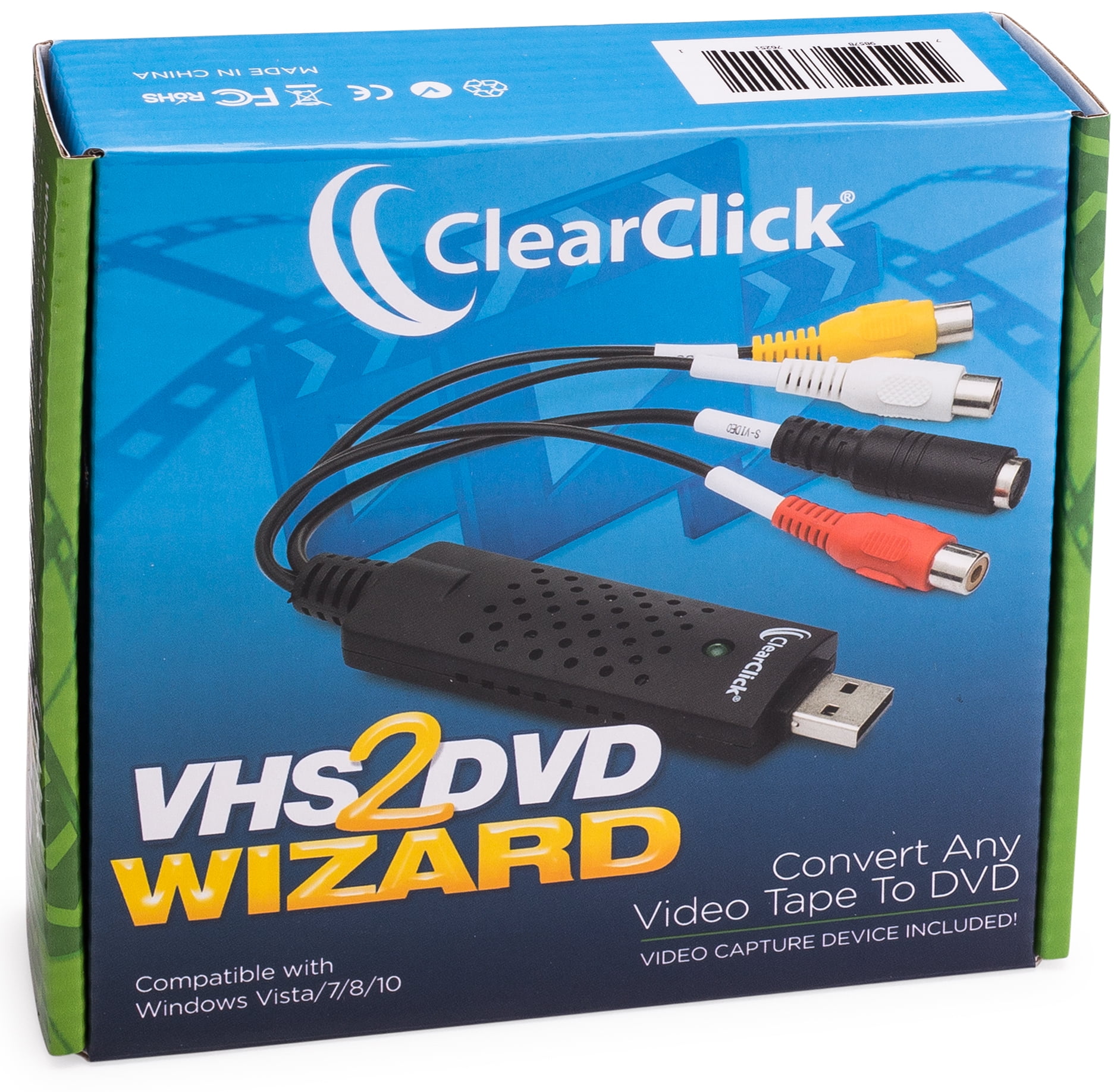
ClearClick VHS to DVD Wizard Software with USB Video Capture Device (DVD)
Articol nr.:
13425973
RON 271
Detalii preț
Excluzând taxele de transport și vamale ( Taxele de transport și vamale vor fi calculate la finalizarea comenzii )
*Toate articolele vor fi importate din SUA
0 ratings
Scrieți o recenzie
În stoc
 Importat din USA
Cant.:
Doar 12 articole rămase în stoc.
Comandați acum și primiți Monday, Septembrie 21
Tranzacție securizată
Ubuy depune eforturi pentru a vă proteja securitatea și confidențialitatea. Sistemul nostru avansat de securitate a plăților asigură confidențialitatea prin criptarea informațiilor dvs. în timpul transmisiei folosind protocoalele AES (Advanced Encryption Standards) și SSL (Secure Socket Layer). Detaliile dvs. de plată sunt 100% sigure, deoarece nu partajăm datele dvs. de plată cu vânzători terți.
Partenerii noștri principali de logistică


Turn your old video tapes into DVD or digital video file!

Fast
Shipping

Retur
gratuit*

Ambalaj sigur

Produse originale 100%

PCI DSS Compliance

ISO 27001 Certified



Note: Step Down Voltage Transformer required for using electronics products of SUA store (110-120). Recommended power converters Cumpărați Acum.


Ce Iese în evidență
User-Friendly Interface
ClearClick's software offers an intuitive interface, enabling users to easily transfer and edit VHS videos without technical expertise, making it accessible for all ages.
High-Quality Conversion
This product ensures high-quality video capture, preserving the original clarity of your tapes during the conversion to DVD, providing a lasting legacy of your cherished memories.
All-in-One Package
Includes a USB video capture device, streamlining the conversion process by providing everything you need in one purchase, enhancing value and convenience for users looking to digitize their videos.
Detalii produs
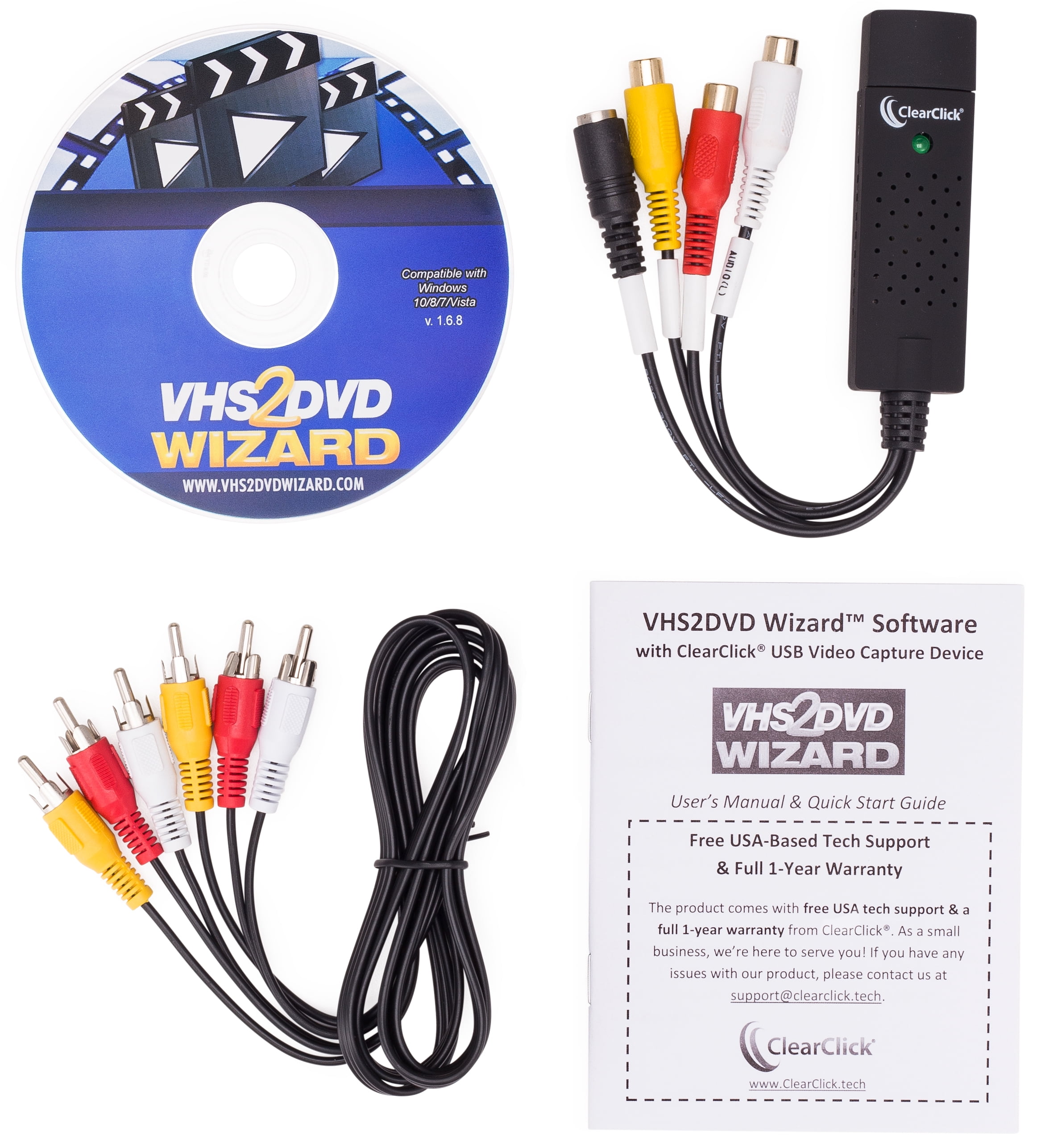
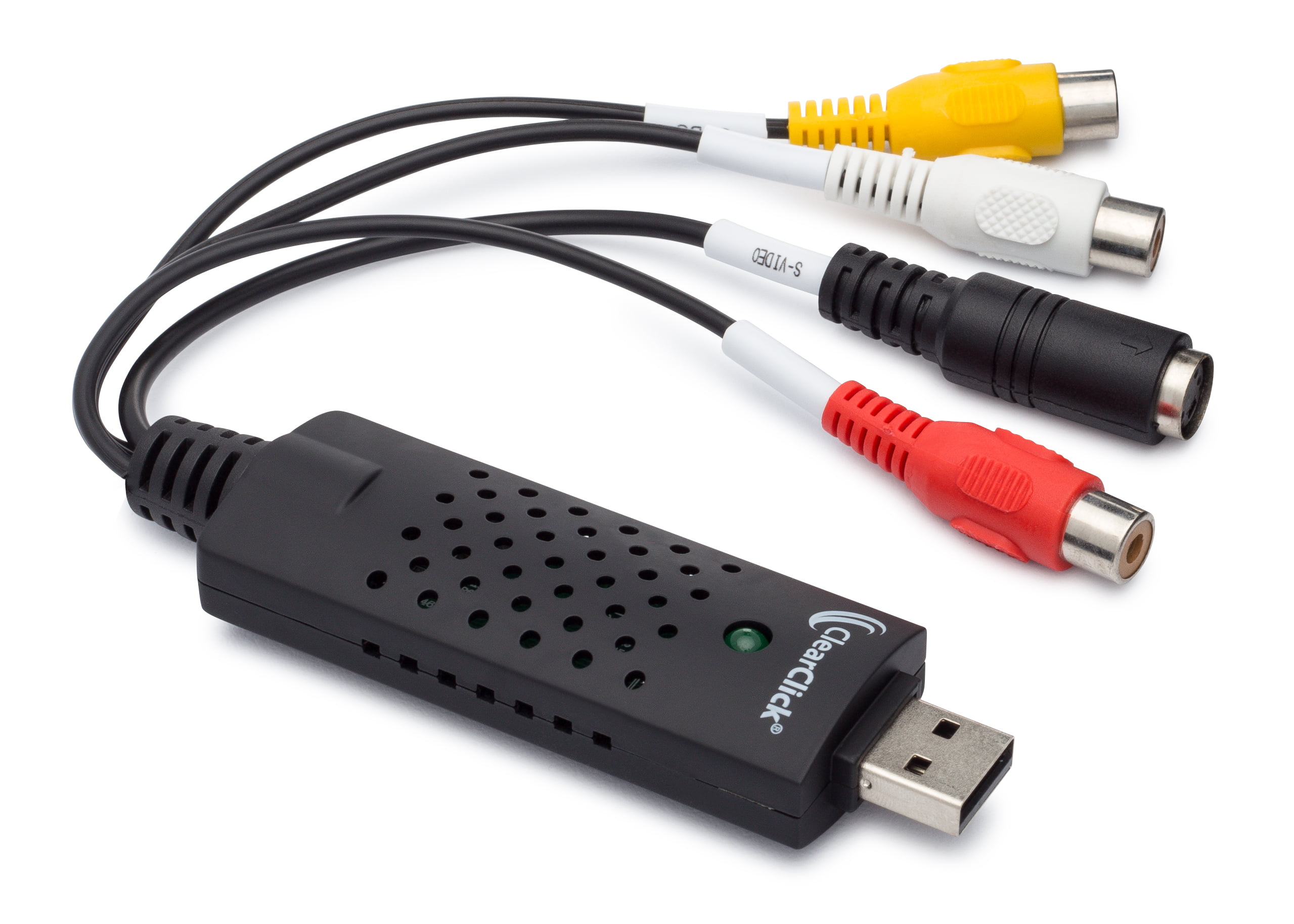
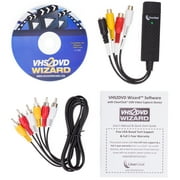
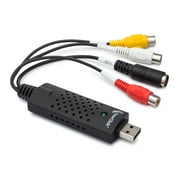
- Got a box of old video tapes in your closet or basement? Turn them into DVD or digital video file!The VHS To DVD Wizard software from ClearClick makes this easy by providing you with a step-by-step, wizard software format. Plus, there's a simple user's manual (included in digital PDF format on the CD) that you can actually understand, because it's written in everyday language! Here's how this conversion system works.Step #1: Install the ClearClick VHS To DVD Wizard Software.Just insert the software CD to install the VHS To DVD Wizard and associated driver files.Step #2: Plug in the ClearClick USB Video Grabber.Plug in the included ClearClick USB Video Grabber into your PC. Your computer will install it automatically.Step #3: Connect Your VCR.Connect your VCR to your USB video grabber with an RCA audio/video cable, and start playing a VHS tape in your VCR. Note: a VCR and RCA audio/video cable are not included.Step #4: Capture Your Video.Click Capture in the software and your video will start transferring to your computer! You can either capture your video to a digital video file on your computer so that you can edit it, or you can burn your video directly to DVD as you capture it.Step #5: Edit and Burn Your Video To DVD.After optionally editing your video with the software to remove unwanted portions, simply burn it to DVD with the Create DVD section. You're done!Finally, as a ClearClick customer, you get access to top-quality, USA-based technical support. Unlike other companies with outsourced tech support or support you have to pay for, ClearClick's top-notch tech support is free and USA-based.SYSTEM REQUIREMENTS:Windows 10/8/7/Vista2.0 GHz Dual Core processor or better recommended2-4 GB RAM or higherDVD burner & Blank DVD-R discs15 GB or more of free hard disk spaceVCR video tape player or camcorder (to play your tapes)
| Computer Software Type | Image, Video & Audio Software |
| Operating System | Windows |
| Brand | ClearClick |
| Number of Users | 1 |
| Delivery Method | Ship to Home |
| Physical Media Format | DVD |
| Version | 1.6.8 |
| Model | VHS2DVD168 |
| Manufacturer | ClearClick |
| Has Written Warranty | No |
| Item Weight | 1.5 lbs (680 grams) |
Cine Ar Trebui să Cumpere?

-
Home Movie Enthusiasts
Ideal for users wanting to preserve old VHS tapes into digital formats for easier viewing and storage.
-
Archival Professionals
Great for those needing a reliable solution for digitizing archival footage for personal or professional use.
-
Family Historians
Perfect for families wanting to digitize treasured memories and share them easily with relatives.

-
Tech-Savvy Users
Advanced users may find limited features and capabilities compared to more sophisticated video editing solutions.
DESCRIEREA PRODUSULUI
Aveți întrebări? Discutați cu noi
Întrebări și răspunsuri ale clienților
-
Întrebare:
What software is included in the package?
Răspuns: The package includes the VHS2DVD Wizard software. -
Întrebare:
Does the package include the necessary cables?
Răspuns: Yes, the package includes an RCA video cable for connecting the VCR to the USB video grabber. -
Întrebare:
What is the recommended system requirements for using the software?
Răspuns: The recommended system requirements are a Windows 10/8/7/Vista OS, 2.0 GHz Dual Core processor, 2-4 GB RAM, DVD burner and blank DVD-R discs, and 15 GB or more of free hard disk space.
ClearClick Photo, Video & Music Editing Software Editorial Review
Nu s-au găsit recenzii editoriale
Recenziile și evaluările clienților
1 evaluări ale clienților
-
5 stele
100%
-
4 stele
0%
-
3 stele
0%
-
2 stele
0%
-
1 stele
0%
Faceți o recenzie pentru acest produs
Împărtășiți-vă părerea cu alți clienți
ÎNCREDERE ÎN PLATFORMĂ ȘI SIGURANȚA CUMPĂRĂTORULUI

JK
Jasmin
Cumpărător verificat
“Great products and very good service: very easy and very fast international delivery.”
9 September 2026 · via Trustpilot
AG
Anke
Cumpărător verificat
“Wonderful online shopping experience, smooth transaction from the start. Payment method works conveniently and delivery is unexpectedly fast and reliable. You go the extra mile for service. What makes this even more amazing, you deliver to Namibia. I will remain a happy Ubuy customer and will increase my purchases for sure! Thank you!”
10 September 2026 · via Trustpilot
H
Hazel
Cumpărător verificat
“Very easy to find the products what you need, and so fast delivery, that’s why I highly recommended to others costumers to used ubuy.”
10 September 2026 · via Trustpilot
O
Opaleye
Cumpărător verificat
“I received exactly what I ordered I was skeptical about your site because that was my first time to order. But the order came timely and neatly packaged. I was not disappointed. Thank you.”
11 September 2026 · via Trustpilot
AC
Adele
Cumpărător verificat
“Easy to find and order what you want on the website. Delivery is quick to the UK”
8 September 2026 · via Trustpilot
Checkout securizat
Livrare internațională
Returnări ușoare
Produse originale
Istoricul prețului produsului
Important
- Limitări: Pentru produsele expediate la nivel internațional, vă rugăm să rețineți că este posibil ca garanția producătorului să nu fie valabilă; este posibil ca opțiunile de service ale producătorului să nu fie disponibile; este posibil ca manualele, instrucțiunile și avertismentele de siguranță ale produsului să nu fie în limba țării de destinație; este posibil ca produsele (și materialele însoțitoare) să nu fie proiectate în conformitate cu standardele, specificațiile și cerințele privind etichetarea din țara de destinație; este posibil ca produsele să nu fie conforme cu voltajul și cu alte standarde electrice din țara de destinație (necesitând utilizarea unui adaptor sau convertor, dacă este cazul). Destinatarul este responsabil pentru asigurarea faptului că produsul poate fi importat legal în țara de destinație. Când comandați de pe Ubuy sau de la afiliații acestuia, destinatarul este importatorul înregistrat și trebuie să respecte toate legile și reglementările din țara de destinație
- Nu toate produsele listate pe Ubuy sunt de vânzare, deoarece Ubuy este un motor de căutare global. Produsele sunt supuse reglementărilor privind exportul/comerțul.
RON 271
Comandați acum și primiți Monday, Septembrie 21
This item is not restrict in my country.(Please click on above link if this item is not restrict in your country, So our team will review and allow.)
Cant.:
Doar 12 articole rămase în stoc.
Tranzacție securizată
Conform PCI DSS și certificat ISO 27001:2022, cu plăți criptate și protecție completă a cumpărătorului la fiecare comandă.
Partenerii noștri principali de logistică
Cea mai rapidă livrare internațională
Caracteristici și avantaje
- Convert any video tape (VHS) to DVD or digital video file
- Step-by-step wizard software format
- Includes USB video capture device and RCA video cable
- Edit and remove unwanted sections from transferred video
- Transfer video tapes directly to DVD with Direct2DVD(TM) feature
- Free USA-based tech support from ClearClick
Asigurare Ubuy
Bucură-te de o experiență de cumpărare fără griji, cu produse 100% originale, securitate a plăților conformă cu standardul PCI DSS, protecție a datelor certificată ISO 27001, cea mai rapidă livrare internațională, retururi gratuite și ambalare securizată pentru fiecare comandă.*