- Home Page /
- Electronics /
- Computer Accessories /
- Computer Accessories & Peripherals /
- Cables & Accessories /
- Cables & Interconnects /
- USB Cables /
- EEEKit 2 Port USB 2.0 Manual Sharing Switch H...
0 ratings




Item #:
4999500
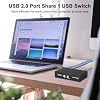
EEEKit 2 Port USB 2.0 Manual Sharing Switch Hub, Printer Scanner Splitter Adapter with 2 Pack USB A to B Cables
Item #:
4999500
RON 85
Price Details
Excluding Shipping & Custom charges ( Shipping and custom charges will be calculated on checkout )
*All items will import from US
0 ratings
Write a review
In stock
 Imported from USA store
QTY:
Order now and get it around Wednesday, June 24
Secured transaction
Ubuy works hard to protect your security and privacy. Our advanced payment security system ensures confidentiality by encrypting your information during transmission using AES (Advanced Encryption Standards) and SSL (Secure Socket Layer) protocols. Your payment details are 100% secure as we do not share your payment details with third party sellers.
Our Top Logistics Partners


The EEEKit Bundle for Printer Switch allows you to share a USB device between two computers, making it a convenient and cost-effective solution for home or office use.

Fast
Shipping

Free
Return*

Secure Packaging

100% Original Products

PCI DSS Compliance

ISO 27001 Certified


Note: Step Down Voltage Transformer required for using electronics products of US store (110-120). Recommended power converters Buy Now.


What Stands Out
Manual Switching
Allows users to effortlessly switch between two PCs for printer access, eliminating the need for complex software or setup, enhancing usability in home or office environments.
USB 2.0 Compatibility
Supports USB 2.0 for fast and reliable data transfer, ensuring efficient scanning and printing without latency issues, suitable for both personal and professional tasks.
Complete Bundle
Includes two USB A to B printer cables, providing everything needed for immediate setup and use, offering excellent value and convenience for users looking to streamline their printing workflow.
Product Details
- Wide compatibility with printers, scanners, external hard drives, projectors, cameras, hubs, and keyboards with USB-A ports
- Cost-saving device that allows 2 computers to access USB-compatible devices
- Easy installation with plug and play, push button switch, and no external power supply required
- Includes 2 Port USB 2.0 Sharing Switch Box and 2 high-speed multi-shielded USB 2.0 A-Male to B-Male cables (5 Feet each)
- Allows 2 computers to access one single USB compliant device with each button to control each port
- USB 2.0 compliant and supports DOS, Windows 7 8 10, Win95/98/98SE/2000/ME/XP, WinNT
| Hardware Interface | USB, USB 2.0 |
| Additional Features | Powered |
| Compatible Devices | PC, Printers, Projectors, Scanners |
| Total Usb Ports | 2 |
| Data Transfer Rate | 480 Megabits Per Second |
| Number of Ports | 2 |
| Operating System | Windows 10, Windows 7 |
| Color | Black |
| Enclosure Material | Polycarbonate |
| Brand | EEEKit |
| Manufacturer | EEEKit |
| UPC | 700580736831 715444590054 |
| Mfr Part Number | B070020-E004934587FBA |
| Model Number | 772116 |
| Special Feature | Powered |
| Item Weight | 0.5 lbs (230 grams) |
Who Should Buy?

-
Small Office Use
Ideal for small offices with multiple computers sharing a single printer or scanner for cost-saving solutions.
-
Home Office Setup
Perfect for remote workers needing a simple way to switch between two PCs using one printer.
-
Students' Needs
Great for students using shared printers in dorm rooms or study areas to minimize equipment footprint.

-
High-Volume Printing
Not suitable for environments requiring heavy printing, as manual switching could disrupt workflow efficiency.
-
Multi-Device Networks
Inconvenient for users with multiple devices needing simultaneous access to a printer without manual intervention.
-
Wireless Printing
Not designed for wireless setups; users with Wi-Fi printers will find this product redundant.
Product Description
Have any Query? Chat with us
Customer Questions & Answers
-
Question:
What is the main function of the EEEKit 2 Port USB 2.0 Manual Printer Scanner Sharing Switch Hub?
Answer: The primary function of the EEEKit 2 Port USB 2.0 Manual Printer Scanner Sharing Switch Hub is to allow two different computers to share a single USB printer or scanner. This is particularly useful in home offices or small businesses, where resources need to be optimized. With a simple switch, users can toggle between the two connected PCs, ensuring both can access the same printer or scanner without the hassle of constantly plugging and unplugging cables. -
Question:
How do you set up the EEEKit USB switch hub?
Answer: Setting up the EEEKit USB switch hub is straightforward. Simply connect the USB B end of the provided cables to your printer or scanner, and the USB A ends to the two computers. Then, use the manual switch on the hub to choose which PC you want to access the printer or scanner. This setup enables quick and efficient swapping, making it ideal for shared workspaces where multiple users need to print or scan documents. -
Question:
Is any software required to use the EEEKit sharing switch hub?
Answer: No, the EEEKit 2 Port USB sharing switch hub operates without any software installation. It is a plug-and-play device, which means once it’s physically connected to your printer/scanner and computers, it will work immediately upon switching. This feature makes it highly convenient and user-friendly for individuals who might not be tech-savvy and want to avoid complicated setups. -
Question:
Can I connect more than two computers to the EEEKit hub?
Answer: The EEEKit 2 Port USB switch hub is designed specifically for two computers to connect to one printer or scanner. While you cannot directly connect more than two computers, you can use additional USB hubs or splitters to expand your setup. However, this may complicate the operation and is not recommended for optimal performance since the hub is built for straightforward two-PC sharing. -
Question:
Which devices are compatible with the EEEKit switch hub?
Answer: The EEEKit switch hub is compatible with most USB printers and scanners that utilize USB 2.0 connections. This includes a wide range of popular brands, ensuring that users can rely on the hub for their everyday printing and scanning needs. If you have a device that fits this description, it is likely to work seamlessly with the switch hub. -
Question:
What are the benefits of using a USB sharing switch hub?
Answer: Using a USB sharing switch hub like the EEEKit offers various benefits, such as saving space and reducing clutter by eliminating the need for multiple printers or scanners. It streamlines operations in shared environments, making it easier for multiple users to access a single device without interruptions or downtime. It also contributes to cost efficiency by allowing users to share resources effectively. -
Question:
What is included in the EEEKit switch hub package?
Answer: The EEEKit switch hub package typically includes the USB sharing switch hub itself and two USB A to B cables. These cables enable immediate connection to your printer or scanner and your computers, ensuring you have everything you need to get started with sharing functionality right out of the box. Keep in mind to verify if any additional accessories are required for your specific setup. -
Question:
Is there a power supply needed for the EEEKit switch hub?
Answer: No separate power supply is needed for the EEEKit 2 Port USB switch hub. It operates solely on the power supplied through the USB connections to the computers and the printer/scanner. This makes it highly portable and convenient for on-the-go users who require a simple solution without additional power needs, enhancing its usability in various work environments. -
Question:
What should I do if the switch hub is not working?
Answer: If the EEEKit switch hub is not functioning correctly, first check all physical connections to ensure they are secure. Disconnect and reconnect the USB cables, and verify that the printer or scanner is powered and functional. Additionally, confirm that you've selected the correct PC using the manual switch. If the issue persists, testing with different USB ports or devices can help isolate the problem. -
Question:
Where can I buy the EEEKit 2 Port USB 2.0 Manual Printer Scanner Sharing Switch Hub?
Answer: You can purchase the EEEKit 2 Port USB 2.0 Manual Printer Scanner Sharing Switch Hub on Ubuy, which offers a wide range of electronic products. Ubuy provides a convenient platform for users in Romania to find and order this device, ensuring you receive it directly at your doorstep with a secure shopping experience.
EEEKit USB Cables 772116 Editorial Review


The USB 2.0 Printer Sharing Switch is an easy-to-use device that allows you to switch one printer between two computers. The unit measures approximately 4.5 inches long by 3 inches wide (including buttons) by 1 inch high. This product is commonly used to share printers between computers but it can also switch between mice and other devices. The customer experience and reception of the product are varied. Positive feedback regards the ease of use, high quality, fast shipping, and compatibility with different operating systems. Negative feedback concerns the cheapness of the Chinese-made hardware, poor quality of connectors and cables that disconnect at the slightest touch or do not seat reliably, and manufacturing defects that cause the device to work inconsistently or to stop working after the 30-day return window.
Customer Reviews & Ratings
1226 customers ratings
-
5 Star
76%
-
4 Star
11%
-
3 Star
5%
-
2 Star
2%
-
1 Star
6%
Review this product
Share your thoughts with other customers
Pros
- Easy-to-use device
- Can switch one printer between two computers
- Can switch between other devices
- Compatible with different operating systems
- Fast shipping
Cons
- Poor quality of connectors and cables
Product Price History
Important information
- Limitations : For products shipped internationally, please note that any manufacturer warranty may not be valid; manufacturer service options may not be available; product manuals, instructions, and safety warnings may not be in destination country languages; the products (and accompanying materials) may not be designed in accordance with destination country standards, specifications, and labeling requirements; and the products may not conform to destination country voltage and other electrical standards (requiring use of an adapter or converter if appropriate). The recipient is responsible for assuring that the product can be lawfully imported to the destination country. When ordering from Ubuy or its affiliates, the recipient is the importer of record and must comply with all laws and regulations of the destination country.
- Not all the products listed on Ubuy are for sale, as Ubuy is a global search engine. Products are subject to export/trade regulations.
RON 85
Order now and get it around Wednesday, June 24
This item is not restrict in my country.(Please click on above link if this item is not restrict in your country, So our team will review and allow.)
QTY:
Secured transaction
Ubuy works hard to protect your security and privacy. Our advanced payment security system ensures confidentiality by encrypting your information during transmission using AES (Advanced Encryption Standards) and SSL (Secure Socket Layer) protocols. Your payment details are 100% secure as we do not share your payment details with third party sellers.
Our Top Logistics Partners
Fastest cross-border delivery
Features & Benefits
- Share a USB device between two computers
- Compatible with USB 2.0/1.1/1.0
- No external power required
- Includes 2 USB A to B cables
- Easy to use with individual buttons
- Ideal for home or office use